 For group fitness instructors
Your music, ready before you walk into the room.
GroupFitPro is the music control room built for group fitness instructors. Import your tracks, build your playlists, dial in your transitions and start class mode in one tap.
iPhone, iPad and Mac · Free to start · No account required
Built for the way you actually teach
Every screen is designed for a coach with a mic in one hand, two minutes before class starts.
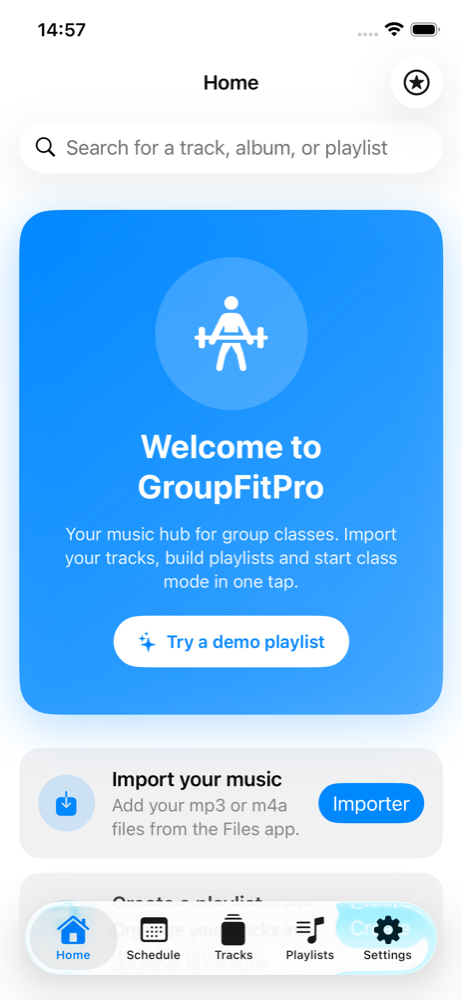
Import your own music
Bring in MP3 and M4A files straight from the Files app. Your tracks stay yours — nothing is streamed, nothing is uploaded.
Playlists and folders
Organize tracks into reusable playlists and folders. Duplicate a format, swap two tracks, and you have next week's class.
Full-screen Class Mode
Big, high-contrast controls you can read from across the room. Track, timer and what's coming next, at a glance.
Automatic BPM detection
Every imported track is analyzed on device, so you can see the tempo of each block and the intensity curve of the whole session.
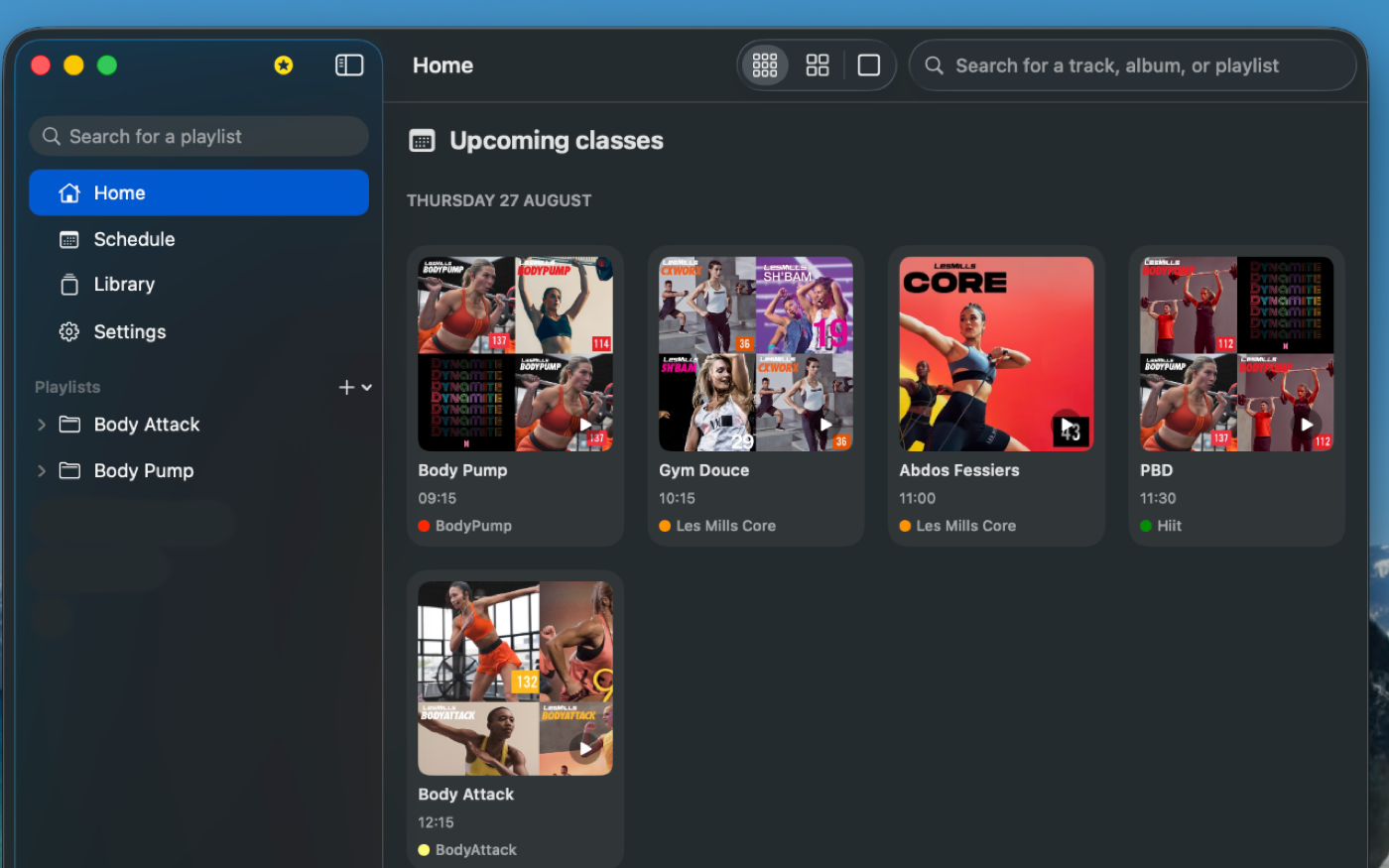
Class schedule
Plan your week with recurring classes, venues and post-class reviews — so you remember what worked and what didn't.
iCloud sync Premium
Prepare on your Mac or iPad, teach from your iPhone. Your library syncs privately through your own iCloud account.
No more dead air between tracks
The gap between two songs is where a class loses its energy. GroupFitPro lets you close it before you ever get on the floor.
- Fade-in, fade-out and crossfade between tracks
- Trim: set exactly where each track starts and ends
- Class phases: warm-up, work, cooldown
- Per-track volume so nothing jumps out of nowhere
Your whole week, in one view
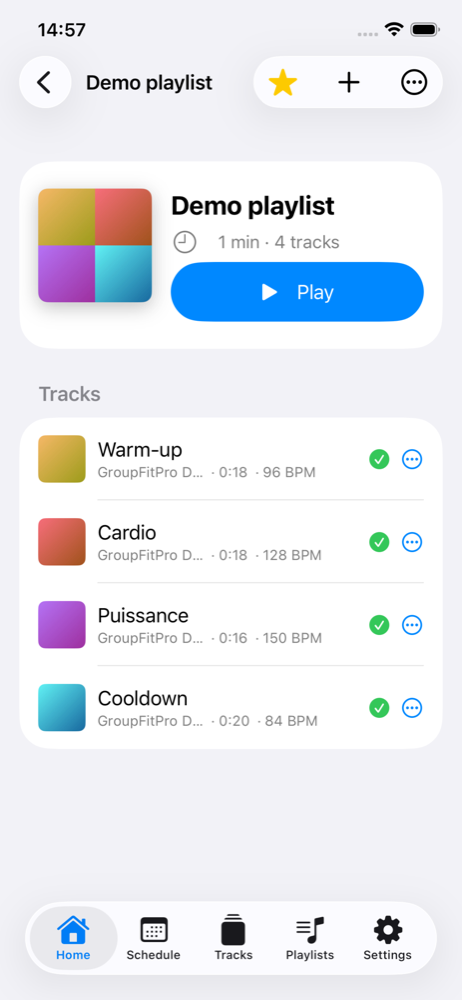
Recurring classes, one-off substitutions, venues and networks. Each class carries its playlist, so opening the app on Tuesday evening is all the prep you need.
- Weekly, monthly and yearly views
- Recurrence with exceptions and cancellations
- Export to the Calendar app Premium
- Class timer on the Lock Screen and Dynamic Island Premium
Prepare on the big screen
GroupFitPro is a native app on Mac and iPad too. Build the season's formats at your desk with a keyboard and a full library view, then walk into the studio with everything already on your phone.
- Native Mac app — not a stretched phone app
- Drag and drop import from Finder
- Everything stays in sync through iCloud Premium
Free to start. Premium when you're ready.
No account, no sign-up. Download, import a track and you're running.
Free
Everything you need to run a class.
- Up to 3 playlists
- Up to 5 scheduled classes
- MP3 / M4A import from Files
- Full-screen Class Mode
- Automatic BPM detection
- Class schedule with recurrence
GroupFitPro Premium
or $49.99 / year — with a 7-day free trial
- Unlimited playlists and classes
- Pro transitions: fades, crossfade, trim
- Class phases (warm-up, work, cooldown)
- iCloud sync across iPhone, iPad and Mac
- Export your schedule to Calendar
- Lock Screen and Dynamic Island timer
Subscriptions are billed through your Apple Account. Payment is charged at confirmation of purchase, and the subscription renews automatically unless it is turned off at least 24 hours before the end of the current period. Manage or cancel any time in your App Store account settings. Terms of Use · Privacy Policy
We don't collect your data. At all.
GroupFitPro has no account system, no analytics, no advertising and no third-party trackers. Your music, your playlists and your schedule stay on your device — and, if you turn on iCloud sync, inside your own private iCloud account, where we cannot see them.
Questions
Do I need a GroupFitPro account?
No. There is no sign-up and no login. The app works entirely on your device, and iCloud sync uses the Apple Account already signed in on it.
Where does the music come from?
From you. GroupFitPro is a player, not a streaming service: you import MP3 and M4A files you already own through the Files app. Make sure you hold the rights required to play that music publicly in your classes — in most countries, playing recorded music in a fitness venue requires a licence held by the venue or by you.
Does it work without an internet connection?
Yes. Your tracks are stored on the device, so playback, Class Mode and your schedule all work in airplane mode. A connection is only needed to sync with iCloud or to buy or restore a subscription.
What happens to my playlists if I stop paying?
Nothing is deleted. Your library, your playlists and your schedule stay on your device. You keep read and playback access to everything; the Premium features — pro transitions, iCloud sync, unlimited playlists and classes — simply stop being available for new content.
Can I use the same subscription on my iPhone and my Mac?
Yes. The subscription is tied to your Apple Account, so it covers every device signed in with it. Use "Restore Purchases" in Settings if a device doesn't pick it up right away.
How do I cancel?
In your device's Settings, tap your name, then Subscriptions, and select GroupFitPro Premium. Cancelling at least 24 hours before the end of the period stops the next renewal. You keep access until the end of the period you already paid for.